
AI outfit planner
Get dressed with what you already own.
Photograph your clothes once. Styla cuts each piece out of your photo and, from then on, puts outfits together from your real wardrobe for the weather outside and wherever you're going.
Coming soon to theApp Store
Free to try, for iPhone.
Features
Your closet
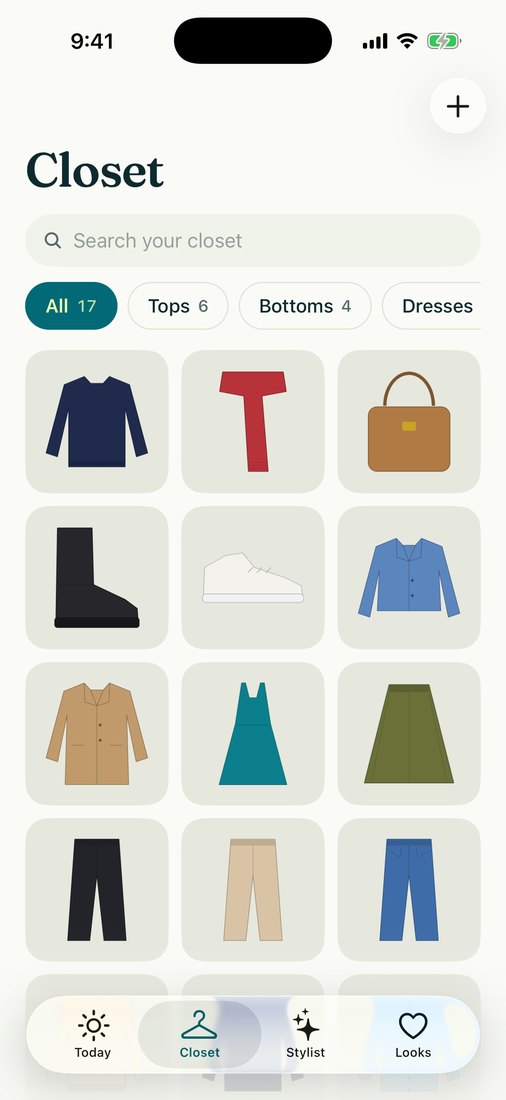
Your own clothes, photographed once
Add pieces with the camera, or pick up to ten photos at a time from your library. Each one is cut out of your own photo and never redrawn, so what you see is what is in your wardrobe.
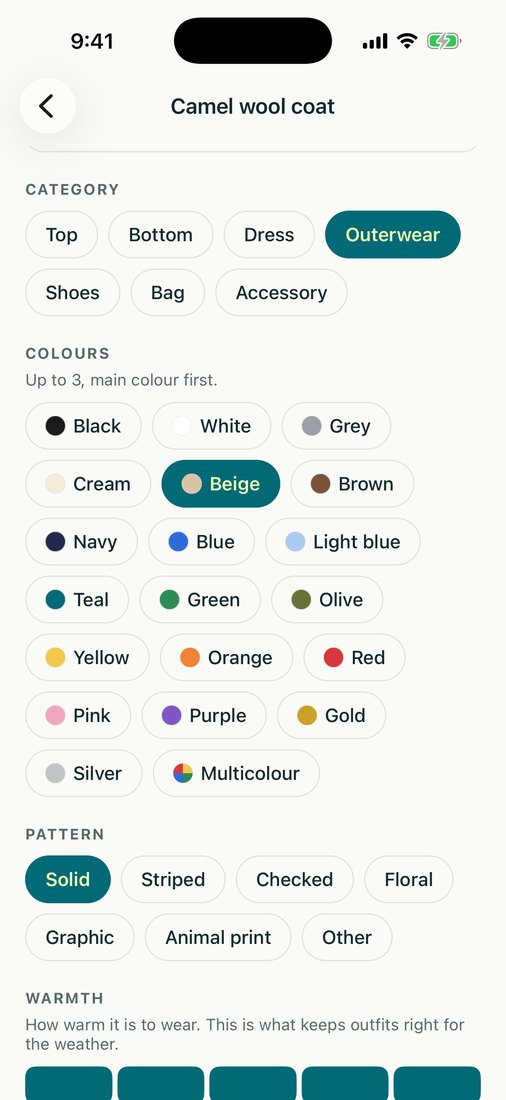
- Category, colours, pattern, warmth and formality suggested for every piece
- Every detail editable, so a wrong guess never sticks
- Search and filter the whole closet
Today
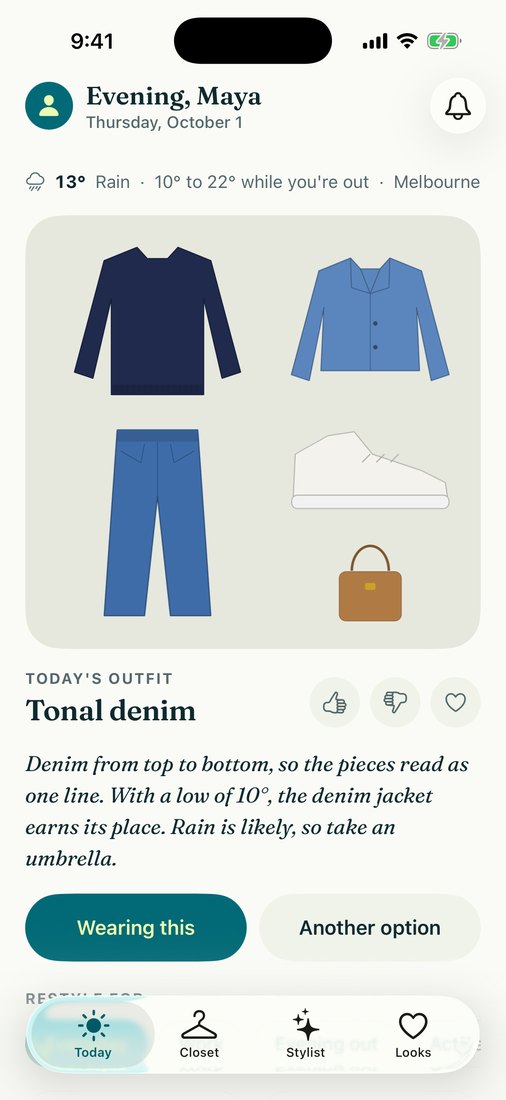
An outfit for the day you're actually having
Open the app to an outfit picked for the forecast during the hours you're out, not an overnight average, so there's no knitwear in a heatwave. A short note says why the pieces work together.
- Ask for another option, or swap any piece yourself
- Pieces you wore lately get a rest
- Thumbs down a look and it isn't suggested again
Stylist
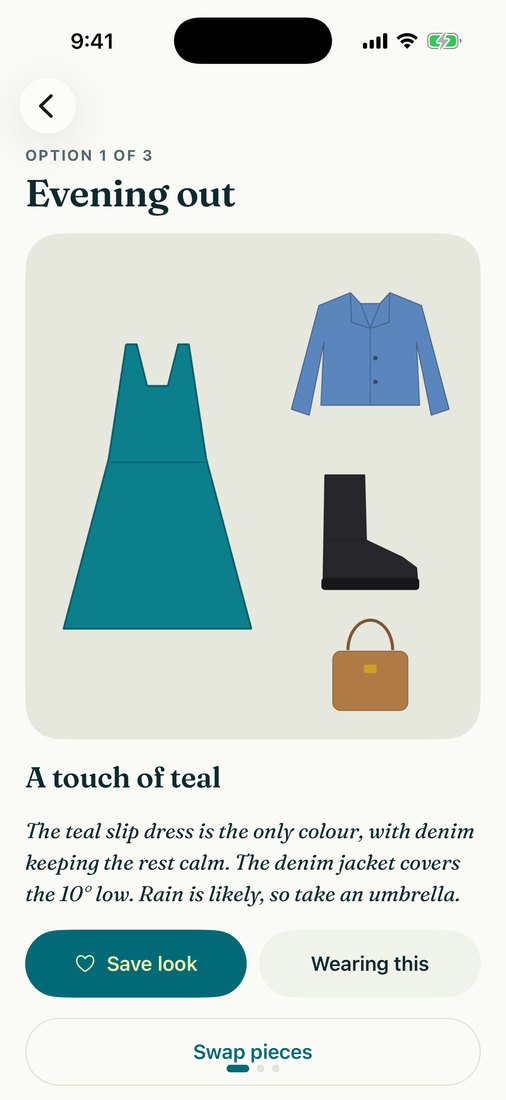
Three options for wherever you're going
Pick an occasion, from work to an evening out to a lazy day at home, and get three different looks from your closet. Or choose one piece you want to wear and get outfits built around it.
Prefer to do it yourself? Build a look piece by piece. That is always free.
Also in the app
Outfit Check
Photograph what you're wearing and get a score for colour, fit, proportion and occasion, what's working, and two or three changes to try. Your photos are never shown to other users.
Saved looks
Keep the outfits you like, build your own by hand, and swap or add pieces whenever you want.
A week ahead
Plan a look for any day of the coming week, and see what you wore and when.
Wear counts
Mark an outfit as worn and every piece in it counts the wear, so the stylist rests what you wore lately.
No shopping feed
Styla is for the clothes you already own. There are no product suggestions and no ads.
Light and dark
Follows your phone's appearance setting.
In six languages
Styla follows your phone's language. Outfit notes and Outfit Check feedback are written in it too. The privacy policy and terms are in English.
- English
- Spanish
- Portuguese
- German
- Japanese
- Simplified Chinese
Free to try. Pro removes the limits.
You see your first outfit before anything asks you to pay. Pro lifts the limits on your closet, your daily stylings and Outfit Check, and adds data export.
| Feature | Free | Pro |
|---|---|---|
| Pieces in your closet | 20 | Unlimited |
| AI stylings | 1 a day | Unlimited |
| Outfit Checks | 1 | Unlimited |
| Build looks by hand, save and plan them | Included | Included |
| Edit every detail of every piece | Included | Included |
| Wear history | Included | Included |
| Export your closet data | Not included | Included |
Pro is a subscription billed through your Apple account. Prices and any free-trial terms are shown in the app before you subscribe, and you can cancel in your Apple account's subscription settings.
Questions
Is Styla on the App Store yet?
Not yet. Styla is coming to the App Store for iPhone, and this site will link to it once it is available.
Is there an Android version?
Not yet. Styla is an iPhone app.
Does Styla redraw my clothes with AI?
No. Every piece is your own photo with the background removed. Nothing is generated or retouched, so the outfits show what is actually in your closet.
What if it gets a piece wrong?
Change it. Styla suggests the category, colours, pattern, warmth and formality of each piece, and every one of them can be edited. Outfits use what you set.
Do I have to photograph my whole wardrobe?
No. A top and a bottom, or a dress, is enough for a first outfit. Add more as you go and the outfits get more varied.
Can I use it without paying?
Yes. The free plan holds 20 pieces, styles one outfit a day and includes one Outfit Check, and building looks by hand is always free. Nothing asks for payment before you have seen an outfit.
What happens to my photos?
They are stored with your account and used to run the app: clothing photos are sent to AI services to remove the background and suggest details, and an Outfit Check photo is sent to get its feedback. They are not sold, not used to train AI models and never shown to other users. You can delete any piece, clear all your data or delete your account in the app. The details are in the privacy policy.
How do I cancel Pro?
Pro is a subscription through your Apple account, and you cancel it in that account's subscription settings. Deleting the app or your Styla account does not cancel it. If Pro ends, everything in your closet stays.
Your closet, put to work.
Photograph a few pieces tonight and get dressed in the morning.
Coming soon to theApp Store